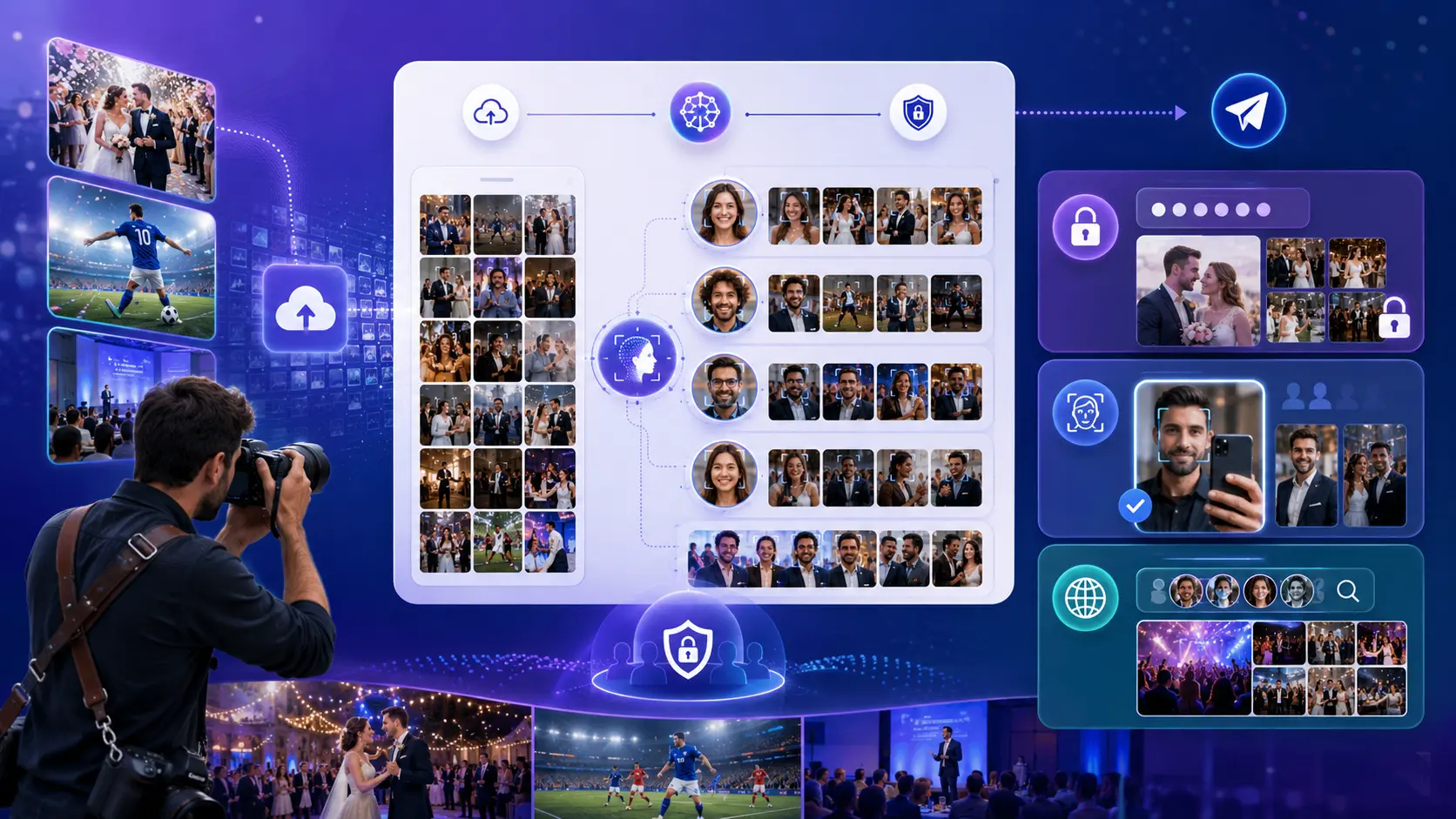
The best 2026 workflow for event photographers is AI sorting plus secure, per-guest delivery: sort thousands of photos by face in minutes, then deliver private galleries via access code or face search. This guide breaks down the private, limited, and public delivery modes.
Event photographers in 2026 are not only judged by the photos they capture. They are also judged by how fast, safely, and easily those photos reach the right people after the event. A photographer may upload thousands of images from a wedding, sports event, school function, marathon, corporate gathering, private party, or travel experience. The challenge is no longer just storage. The challenge is helping every guest, client, athlete, or invited person find the photos where they appear without forcing everyone to scroll through the entire gallery.
That is where AI photo sorting and secure photo delivery workflows become important. Lenzeit is built for this exact problem: photographers create an event, upload all event photos, choose the right access type, and use facial recognition to help people find their own images. Instead of manually creating folders for every guest, the system can group event photos person-wise and deliver them based on privacy rules.
Why Event Photographers Need AI Photo Sorting in 2026
A traditional event photography workflow often creates a delivery problem. The photographer captures the event, uploads the images somewhere, sends a gallery link, and then guests must search manually. At small events, this may be manageable. At weddings, sports days, graduations, corporate events, marathons, and large private gatherings, this becomes slow and frustrating.
People do not want to search through thousands of photos to find themselves. A bride does not want guests messaging the photographer for their pictures. A sports parent does not want to browse every athlete's photo. A corporate client may not want every attendee to see every image. This is why automated file sorting for photographers is becoming an important part of event photography profitability in 2026.
❌ The Real Delivery Problem
The problem is not only that photographers have too many images. The problem is that every person at the event wants fast access to the photos where they appear, while the photographer still needs control over privacy and delivery.
What AI Photo Sorting Means in Lenzeit
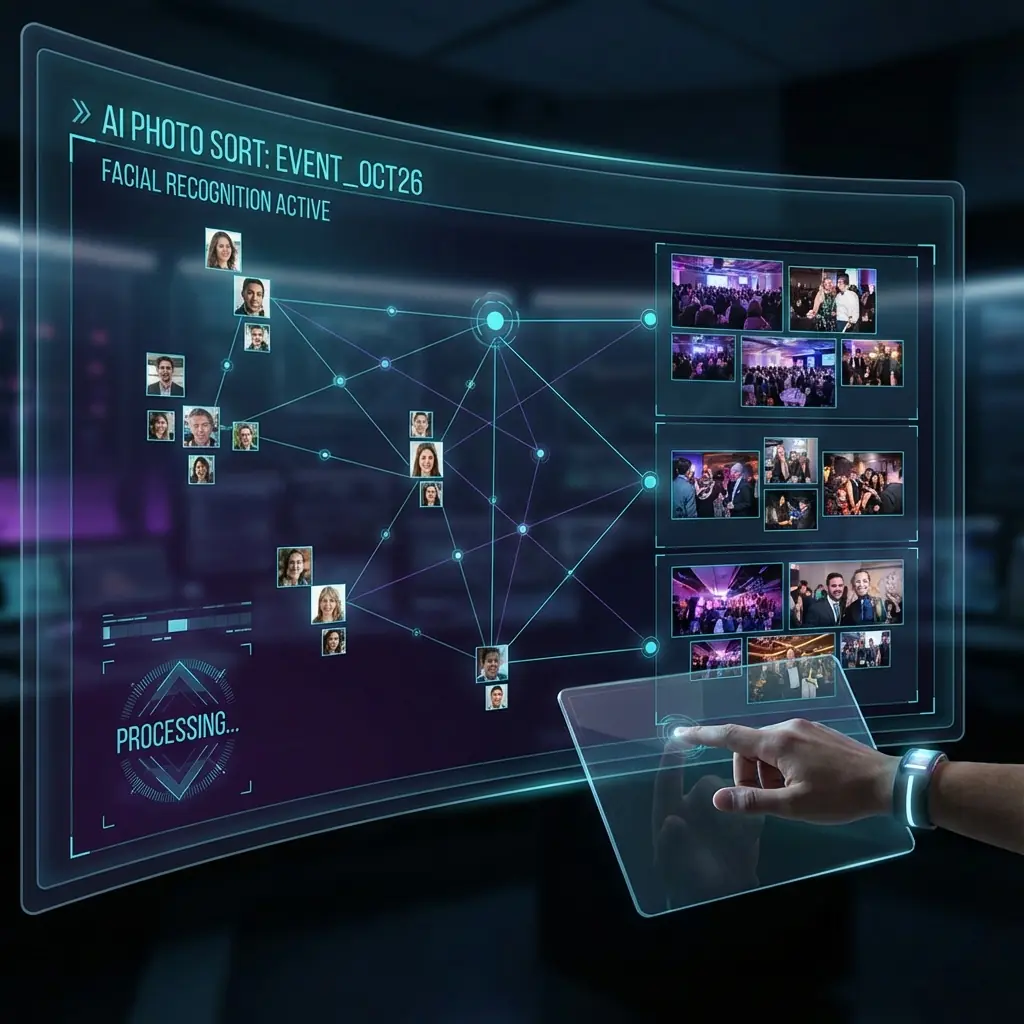
In Lenzeit, AI photo sorting is not about automatically deleting bad photos, detecting blurry images, or choosing the best artistic frame. Lenzeit's workflow is focused on face-based photo organization and delivery. The photographer uploads photos into an event, and the system helps group photos by the people who appear in them.
This is important because event photos are usually people-driven. Guests care about the images where they appear. Hirers care about who can access which photos. Photographers care about delivering the right gallery without manually separating every person's images. Lenzeit solves this with facial recognition, event access modes, FaceLock controls, and person-wise sorted folders.
The Core Lenzeit Workflow: Create Event, Upload Photos, Choose Access Type
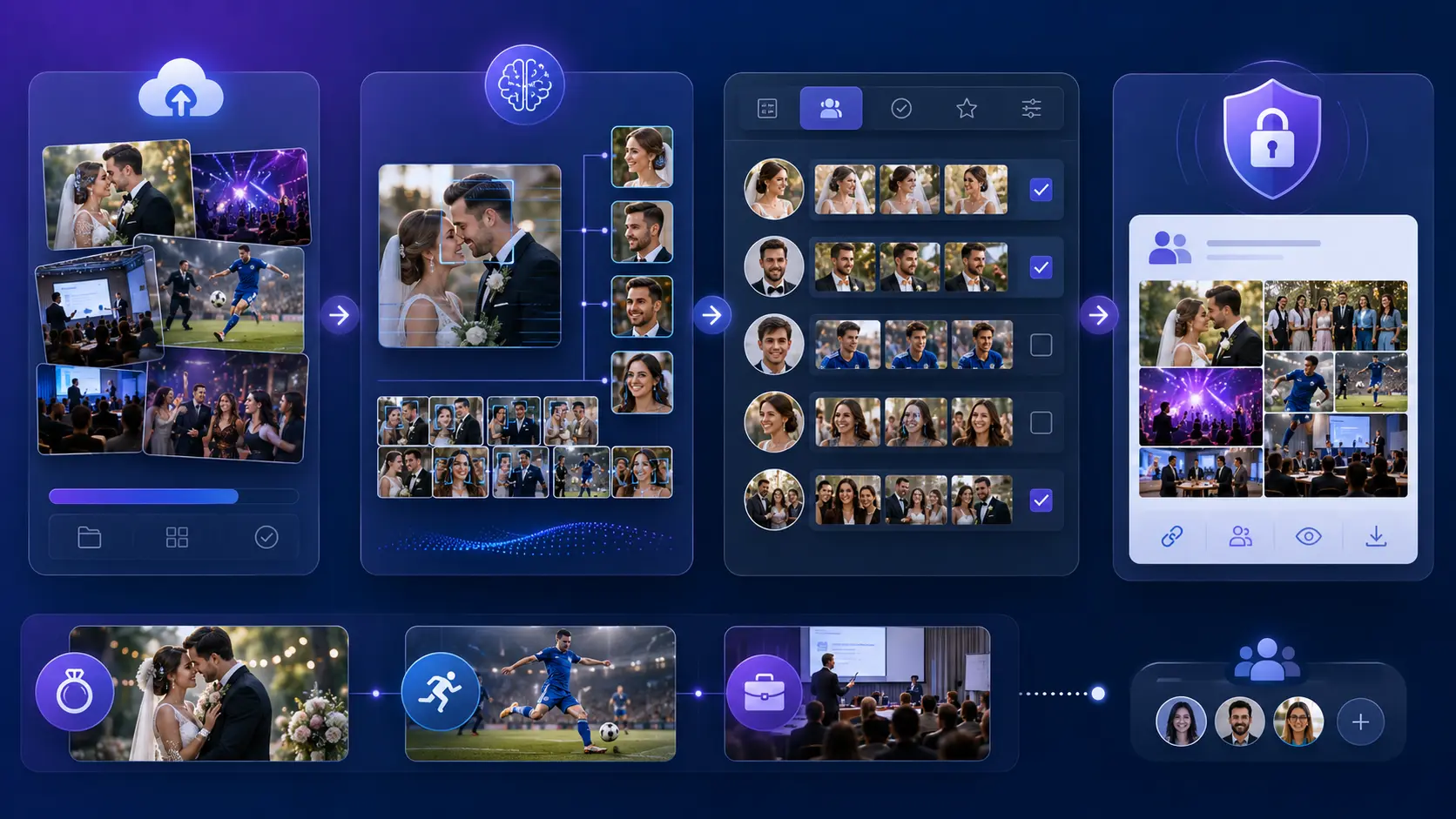
The foundation of the Lenzeit workflow is simple. The photographer creates an event, uploads all photos into that event, and chooses how the event should be accessed. This access type decides how clients, guests, athletes, or invited people will find and receive their photos.
- Create the event: The photographer sets up a new event inside Lenzeit.
- Upload all event photos: The photographer uploads the full event gallery into one place.
- Choose the event type: The photographer selects Private, Limited, or Public depending on the event's privacy needs.
- Let facial recognition organize the gallery: The system helps match and group images based on faces.
- Deliver photos based on access rules: Guests, invitees, or the hirer can access photos according to the event type and FaceLock settings.
This workflow is valuable because it connects sorting and delivery together. Many photographers do not only need a place to store images. They need a smarter system that helps each person find their own photos while protecting privacy.
Workflow 1: Private Event Delivery for Controlled Access
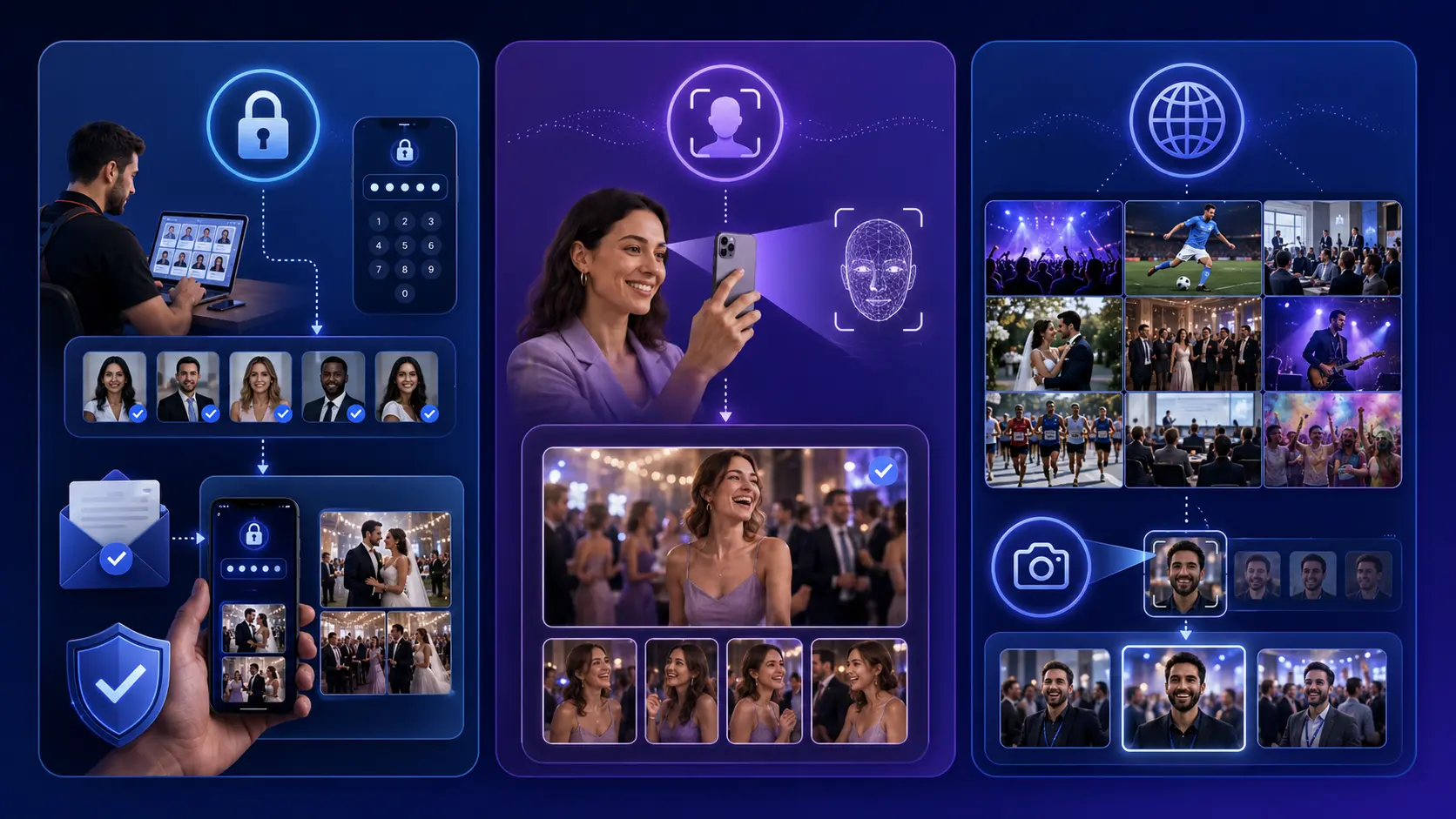
A Private event is the best workflow when the photographer or hirer wants strict control over who receives images. In this mode, only people registered in the event can access their images. The photographer registers the people and sends them passcodes. When the person enters their passcode, Lenzeit uses facial recognition to show the images where that person appears.
This is useful for weddings, luxury events, private gatherings, VIP events, school functions, and corporate events where photo access should not be open to everyone. The person may appear alone or in group photos. The purpose of the workflow is to make sure registered people can receive the photos connected to them without giving everyone access to everything.
- ✓Best for: private weddings, VIP events, corporate events, school events, and invitation-only galleries.
- ✓Access method: registered person plus passcode.
- ✓Photo discovery: facial recognition shows that person's matched photos.
- ✓Main benefit: controlled photo delivery with stronger privacy.
Workflow 2: Limited Event Delivery Without Passcodes
A Limited event is designed for events where the photographer wants easy access without passcodes, but still wants people to see only their own matched photos. When the event is set live, users open the event, scan their face, and Lenzeit displays the images where that face appears. This can include solo images and group photos.
This workflow is strong for events where many attendees need fast access but the photographer does not want to manually register and send passcodes to every person. It gives guests a simple self-service way to find their event photos using face recognition.
- ✓Best for: medium-to-large events where people need quick self-service access.
- ✓Access method: face scan, no passcode required.
- ✓Photo discovery: users scan their face and see matching photos.
- ✓Main benefit: faster access with less manual work for the photographer.
💡 Why Limited Events Work Well
Limited events reduce friction. Guests do not need a passcode, but they still use face recognition to find the images where they appear.
Workflow 3: Public Event Galleries With Face Search
A Public event is the best workflow when the photographer wants all images to be visible publicly. This can be useful for festivals, open sports events, public ceremonies, tourism experiences, travel photo solutions, or community events where open gallery access makes sense.
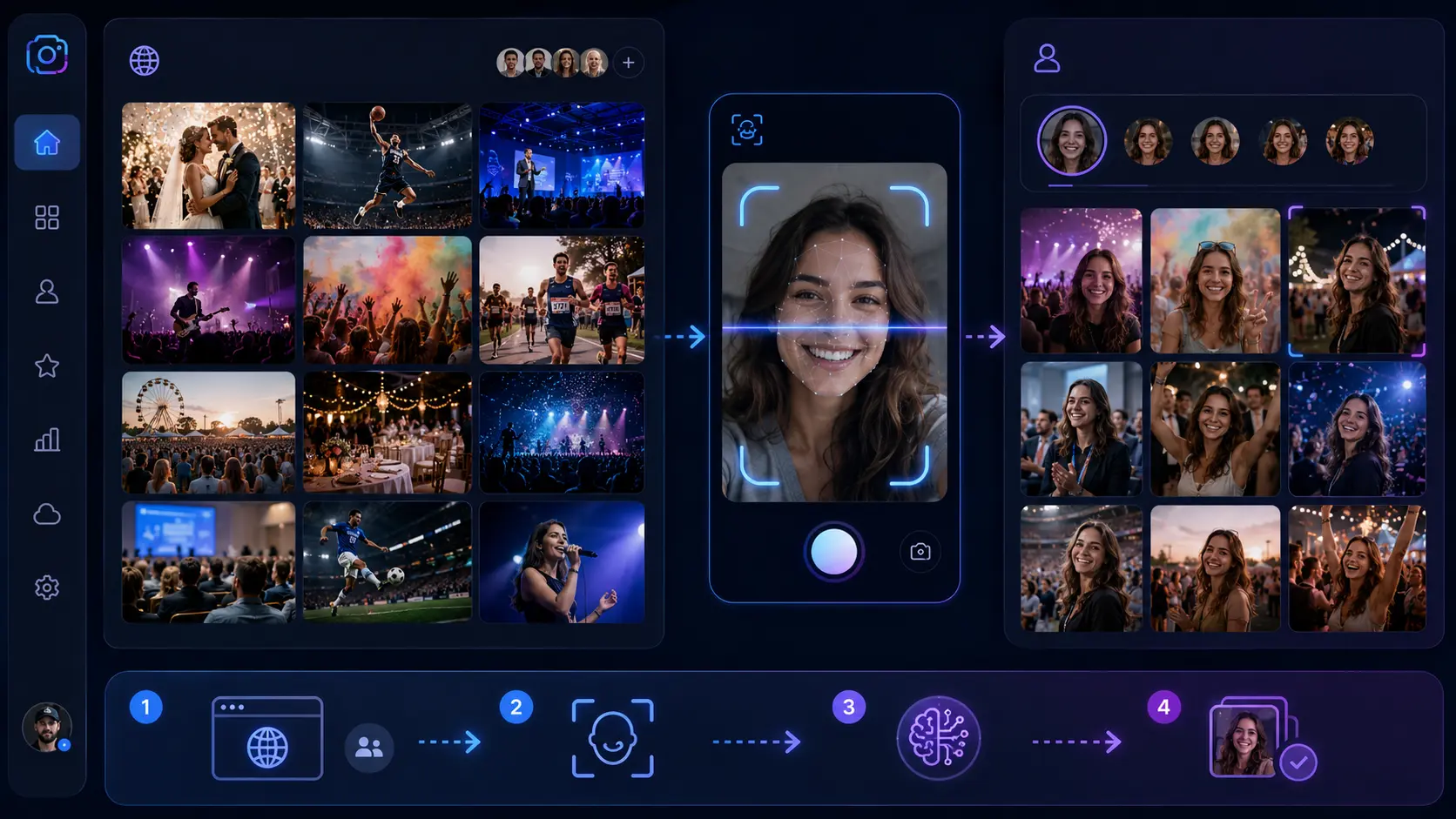
Even in a public event, Lenzeit can still help people find themselves faster. Users can browse the full public gallery, but they can also use face recognition filtering. The camera opens, captures or scans the user's face, and filters the public gallery to show images where that person appears.
- ✓Best for: public events, open galleries, sports events, travel experiences, festivals, and community functions.
- ✓Access method: public gallery browsing.
- ✓Photo discovery: optional face recognition filter using camera capture.
- ✓Main benefit: open access plus faster personal photo search.
Workflow 4: FaceLock for Privacy-Sensitive People
FaceLock is one of the most important privacy controls in Lenzeit. It allows a hirer to lock a specific person's face inside an event. If Person A is FaceLocked, then any image containing Person A should not be delivered to other people, even if those other people also appear in the same group photo.
This matters because event privacy is not always simple. A person may appear in group images with others. Without a privacy layer, a group photo could be delivered to several people. With FaceLock, the hirer can protect a person whose images should not be shared more widely.
- ✓Best for: VIP guests, private clients, sensitive corporate events, family privacy, school events, and luxury gatherings.
- ✓Control owner: hirer can apply FaceLock to a person in the event.
- ✓Privacy rule: images containing the locked person are not delivered to other people.
- ✓Main benefit: stronger person-level privacy inside group photo delivery.
⚠️ Why FaceLock Matters
A person can appear in both solo and group photos. FaceLock helps prevent photos containing a protected person from being delivered to others in the event.
Workflow 5: Hirer Controls for Event-Level Privacy
In many events, the photographer is not the only decision-maker. The person who hired the photographer may need special control over how photos are accessed and shared. Lenzeit supports this with the hirer role. When creating an event, the photographer can add a hirer who has special controls for that event.
The hirer can apply FaceLock to specific people and can also download from sorted folders. This is useful when the hirer needs more control over privacy, delivery, or internal organization. For example, at a corporate event, the organizer may want to protect certain attendees. At a private wedding, the couple or family may want control over sensitive guest visibility.
- ✓Photographer creates the event and adds the hirer.
- ✓Hirer receives special event controls.
- ✓Hirer can apply FaceLock to specific people.
- ✓Hirer can access sorted folders grouped person-wise.
- ✓FaceLock rules are respected during access and download workflows.
Workflow 6: Person-Wise Sorted Folders for Faster Delivery
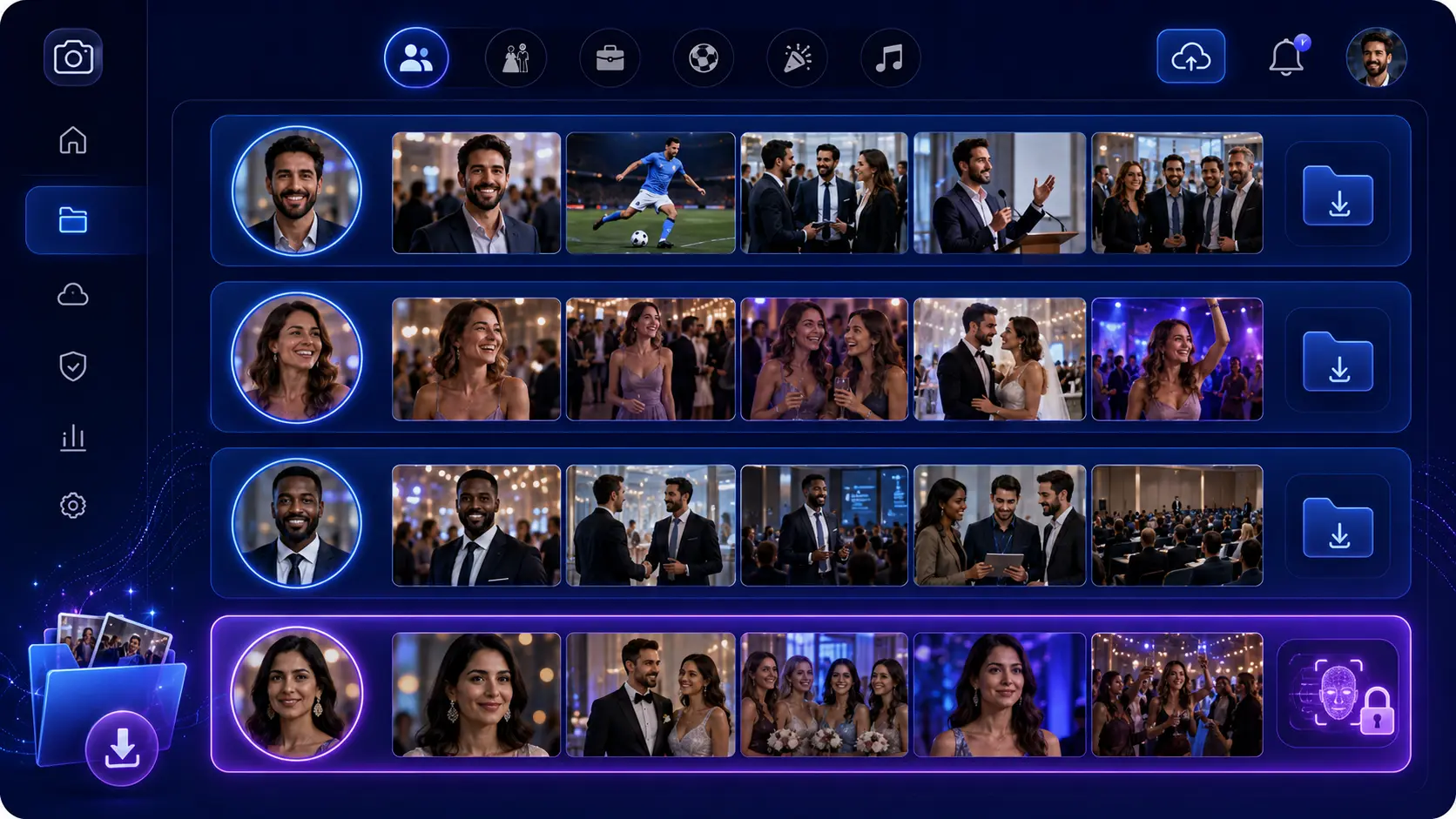
One of the biggest benefits of face-based sorting is person-wise organization. Instead of keeping one messy event folder, Lenzeit can group photos into person-wise clusters. Person A's folder can contain photos where Person A appears, whether alone or in a group. Person B's folder can contain photos where Person B appears, and so on.
This helps photographers and hirers manage large events more easily. The sorted folder is not just a convenience feature. It is part of a better event delivery workflow, especially when galleries contain hundreds or thousands of photos.
- Upload all photos into the event.
- Let facial recognition group images by person.
- Review person-wise clusters if needed.
- Apply FaceLock where privacy control is required.
- Download or deliver sorted folders based on event rules.
How This Workflow Helps Event Photography Profitability in 2026
Event photography profitability in 2026 depends on more than the shoot itself. Photographers also need efficient delivery. If every event requires manual sorting, manual guest support, manual folder creation, and repeated messages from people asking for their photos, the photographer loses time that could be spent booking more work, editing, marketing, or serving better clients.
AI photo sorting helps reduce the manual delivery burden by organizing people-based galleries. Secure delivery controls help reduce privacy concerns. Public, Limited, and Private event types let photographers match the workflow to the event. FaceLock gives hirers more confidence when certain people need extra protection.
This is why the best workflow is not simply uploading photos online. The best workflow is choosing the right delivery mode for the event and letting face-based sorting make photo discovery easier.
Best Workflow by Event Type
Different events need different delivery rules. A wedding may need privacy. A public sports event may need open access with face search. A corporate event may need controlled delivery. A school event may need stronger privacy rules. The best AI photo sorting workflow depends on the event type.
- Private wedding or VIP event: Use Private mode with passcodes and FaceLock where needed.
- Sports tournament or youth sports event: Use Limited or Public mode depending on whether the gallery should be restricted or open.
- Marathon or public race: Use Public mode with face recognition filtering so athletes can find their photos faster.
- Corporate event: Use Private or Limited mode depending on attendee privacy expectations.
- School or family event: Use Private mode when controlled access is important.
- Travel or tourism photo solution: Use Public or Limited mode depending on whether guests should browse openly or find only their own images.
Common Questions About AI Photo Sorting and Secure Delivery
Does MagicSort use AI?
Yes. MagicSort is Lenzeit's AI-powered photo organizer. It helps sort and group event photos using face-based intelligence so photographers can manage large event galleries faster.
Can AI sort my photos by face?
Yes. In Lenzeit's workflow, AI photo sorting is focused on facial recognition and person-wise grouping. This helps users find images where they appear and helps photographers manage event galleries more efficiently.
How do photographers deliver images to clients securely?
Photographers can deliver images securely by using access-controlled event galleries. In Lenzeit, photographers can choose Private, Limited, or Public event modes depending on the event. Private events use registered users and passcodes, Limited events use face scan access without passcodes, and Public events allow open browsing with face search.
Is online photo delivery secure for client privacy?
Online photo delivery can be more privacy-aware when the gallery supports access controls. Lenzeit helps photographers choose the right event type and use FaceLock when specific people should not appear in photos delivered to others.
How can athletes find sports photos instantly?
For sports events, a photographer can use a public or limited event workflow. Users can scan their face and filter the gallery to find images where they appear. This makes it easier for athletes, parents, or participants to find relevant photos without browsing the entire event manually.
Is Lenzeit an AI photo culling tool?
Lenzeit should be understood primarily as an AI face-based photo sorting and secure delivery platform for event photographers. Its value is in organizing event photos by person and delivering them through privacy-aware gallery workflows, not automatically deleting blurry images or choosing artistic winners.
Implementation Checklist: Choosing the Right Lenzeit Workflow
Before publishing an event, photographers should choose the access type based on privacy, guest experience, and delivery needs. The same event photos can create very different client experiences depending on how access is configured.
- ✓Use Private mode when access must be controlled with registered people and passcodes.
- ✓Use Limited mode when guests should find their photos by scanning their face without passcodes.
- ✓Use Public mode when the full gallery can be visible to everyone.
- ✓Use public face search when people need faster photo discovery inside an open gallery.
- ✓Use FaceLock when a person's images should not be delivered to others.
- ✓Add a hirer when the client or event organizer needs special controls.
- ✓Use person-wise folders when the hirer or photographer needs organized downloads by individual.
Conclusion: The Best AI Photo Sorting Workflow Connects Access, Privacy, and Delivery
The best AI photo sorting workflow for event photographers in 2026 is not just about uploading photos to a gallery. It is about helping the right people find the right images with the right level of access. That means photographers need more than a storage link. They need event modes, face-based discovery, privacy controls, and person-wise organization.
Lenzeit's workflow is built around that reality. Photographers create events, upload photos, choose Private, Limited, or Public access, and use facial recognition to make photo discovery faster. Hirers can apply FaceLock where privacy matters, and sorted folders help organize event images person by person.
For weddings, sports events, corporate events, school functions, marathons, private gatherings, and public experiences, this approach gives photographers a smarter way to deliver photos. It reduces manual delivery friction, improves the guest experience, and gives clients more confidence that event photos are being handled with the right privacy controls.